Greatslots mobile: browser play and what to expect on your phone
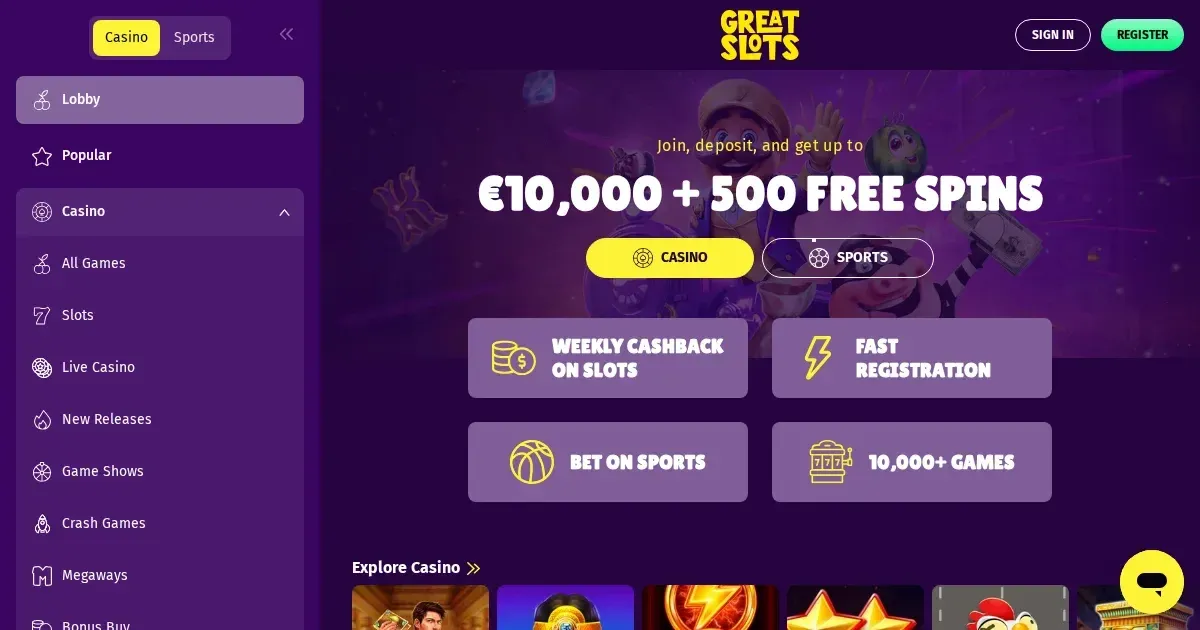
















Greatslots runs entirely in your mobile browser. There is no native app to download; access the site through Chrome, Safari or any modern browser on your phone, and you reach the same account and game library you would on a laptop. The mobile layout adjusts to smaller screens automatically, and most of the casino's 10,000+ games load without friction on current Android and iOS devices.
Mobile at this operator
Greatslots operates as a browser-based casino. You type the operator's address into your phone's browser, sign in with the credentials you set at registration, and the interface scales to fit. No separate app exists for iOS or Android, and no APK or store listing is published.
The advantage: you bypass app store approval delays and version updates. The trade-off: you rely entirely on your browser's performance, and you have no home-screen icon unless you bookmark the site manually.
Installed app versus site in a browser
Because the operator publishes no native application, the comparison collapses to one side. You open the site in Safari, Chrome, Firefox or Edge on your phone, and that is the whole story. Browser play means cross-platform consistency — the same interface on an iPhone 15 as on a Samsung Galaxy — but it also means no push notifications for bonuses, no offline mode, and no biometric login shortcut unless your browser offers one.
A bookmarked page saved to your home screen mimics an app icon visually, but it still opens a browser session behind the scenes rather than a standalone environment.
What you gain
- Instant access from any phone with a modern browser and a data connection
- No storage eaten by a dedicated app — the casino runs in a tab
- Updates applied server-side, never a prompt to reinstall
What you give up
- No app-store presence means no ratings, screenshots or install count to guide you
- No biometric unlock tied to the casino itself — only what your browser remembers
- Background operation limited by your browser's tab-suspension rules
Day-to-day use
Once signed in on your phone, the mobile lobby displays the same categories as the desktop version — slots, live casino, new releases, crash games, table games — with tiles that stack vertically. Touch navigation replaces the mouse: you tap a game card to launch it, swipe to browse providers, and pinch to zoom on dense menus if the layout crowds.
The cashier and your account settings sit behind a hamburger menu at the top of the screen. Depositing from a phone follows the desktop flow — choose a method, enter the amount, confirm — and the interface adjusts input fields to suit a touch keyboard. Withdrawals work identically, though verifying your identity from a phone camera can be faster than scanning documents at a desk.
Support channels accessible on mobile match what the desktop site offers, whatever those are. Live chat, if available, opens in an overlay; email links trigger your phone's mail client.
Games on a small screen
Slots from BGaming, Betsoft, Gamzix, Endorphina and Galaxsys generally scale well to phone dimensions — the reels fill the viewport in portrait mode, and tap controls replace click. Live dealer tables can feel cramped: a roulette wheel and chat panel compressed onto a 6-inch screen leave little room for the betting grid, and multi-camera views designed for wide monitors often lose their advantage.
Game shows and crash games tend to fare better than multi-hand blackjack or complex baccarat interfaces, where tapping the wrong chip denomination or bet spot becomes more likely. Not every title in the 10,000-game library is optimised for touch — older slots may display buttons too small to reliably hit with a thumb.
Known limits
Browser-based mobile play comes with predictable constraints. Battery drain during a long session is steeper than casual browsing, especially with live video streams or games that lean on JavaScript animation. A weak 4G connection or congested Wi-Fi produces stuttering reels and delayed bet registration, and the operator's server cannot distinguish between a dropped connection and a closed browser tab — if your session times out mid-spin, the result is recorded server-side but you will not see it until you reload.
The mobile layout of the cashier mirrors the desktop version but condenses it, so scrolling through a long transaction history or comparing withdrawal methods takes more thumb-work. Verification uploads from a phone camera can be faster than desktop scanning, but dim lighting or a shaky hand produces rejected images just as often.
Multi-tasking on a phone — switching between the casino tab and a banking app, or answering a message mid-spin — risks the browser suspending the session. Some browsers pause JavaScript execution in background tabs, which can interrupt autoplay or cause a bonus round to freeze until you return.
| Aspect | Mobile reality |
|---|---|
| Account access | Same credentials as desktop; no separate mobile registration |
| Game library | 10,000+ titles available; not all optimised for touch |
| Deposits | Full cashier in hamburger menu; touch keyboard for amounts |
| Withdrawals | Same limits and timings as desktop; verification via phone camera |
| Live dealer | Functional but cramped on screens under 6 inches |
| Support | Channels match desktop offering |
What to check first
Before placing a real-money bet from your phone, settle three things. First, confirm you are on the operator's actual domain — phishing sites that mimic the layout are common, and a phone browser shows less of the address bar than a desktop one does. Type the URL yourself rather than following a link from a message.
Second, check your connection. A mobile network that shows full bars can still throttle casino traffic or drop packets during peak hours, and public Wi-Fi in a café is rarely stable enough for a session involving live dealer games or timed bonuses. A withdrawn bet that fails to register because of a connection hiccup costs you the stake with no recourse.
Third, set deposit limits before the session starts, not during it. The responsible gambling tools the operator provides — whatever they are — take longer to navigate on a small screen, and the friction of hunting through menus while a bonus countdown ticks is enough to make most players skip the step. A device you carry everywhere multiplies the temptation to play impulsively; pre-set limits counter that.
Session hygiene on mobile
- Sign out after every session if you share the device or use public Wi-Fi.
- Disable autofill for passwords in your browser — a stolen phone should not hand over your account.
- Bookmark the operator's address and use only that bookmark, never a search result or a link.
- Check your transaction history in the cashier after a deposit or withdrawal clears, not just the confirmation screen.
Responsible play on a device you always carry
A phone in your pocket removes the last barrier between the urge to play and the act of placing a bet. That convenience is the point of mobile access, but it also collapses the cooling-off period a desktop session naturally imposes. Gambling should be entertainment, not a reflex.
The tools Greatslots offers for setting deposit limits, session reminders and self-exclusion work identically on mobile and desktop, but they are harder to reach on a small screen and easier to dismiss when a notification interrupts. Set them before you play, not during a losing streak.
If you notice yourself opening the casino site while waiting in a queue, during a commute, or in the middle of another task, that pattern is worth examining. Free, confidential support is available at BeGambleAware.org, and the National Gambling Helpline is reachable at 0808 8020 133 (free, 24/7). Self-exclusion across all UKGC-licensed sites can be arranged through GamStop, and blocking software such as Gamban or BetBlocker prevents access at the device level, covering browsers and apps alike.
Access to this site is restricted to persons aged 18 and over (18+). If gambling stops feeling like entertainment, the organisations above offer free, confidential help.
Frequently asked questions
Does Greatslots have a mobile app for iPhone or Android?
No. Greatslots operates as a browser-based casino with no native app for iOS or Android. You access the site through your phone's web browser using the same account and credentials as on desktop.
Can I deposit and withdraw from my phone?
Yes. The mobile cashier offers the same payment methods, limits and processing times as the desktop version. Verification documents can be uploaded directly from your phone's camera.
Do all 10,000+ games work on a phone?
Most games load on modern mobile browsers, but not all are optimised for touch controls. Slots generally scale well; live dealer tables and complex table games can feel cramped on screens under 6 inches.
What happens if my connection drops mid-spin?
The spin result is recorded on the operator's server regardless of your connection. When you reconnect and reload the page, your balance reflects the outcome, though you will not see the animation.
Game Providers